Waze on HUD (HUDControl)
Waze navigation on the heads-up display for Geely EX5, Geely Starray and Geely EX5 EM-i.
This app enables HUD display for Waze maps, bringing navigation instructions directly to your line of sight.
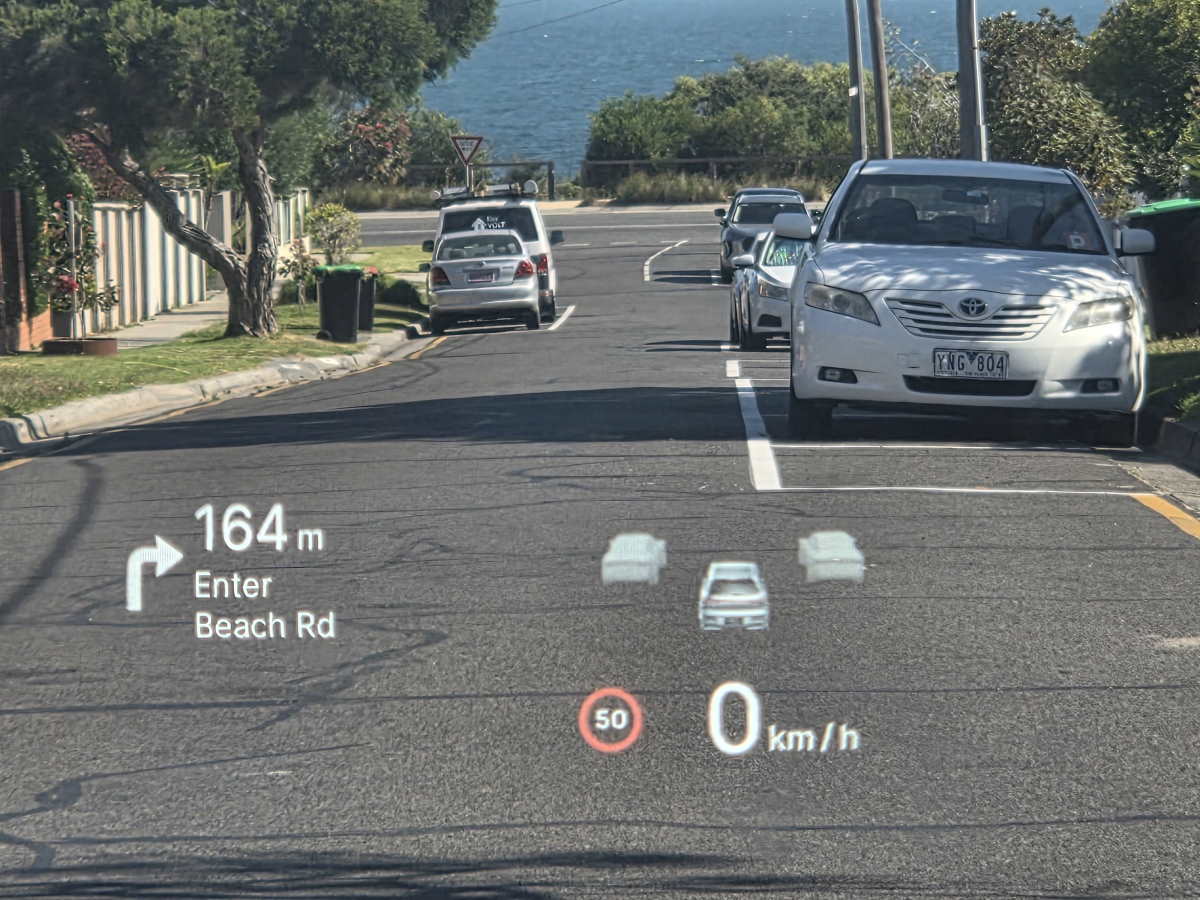
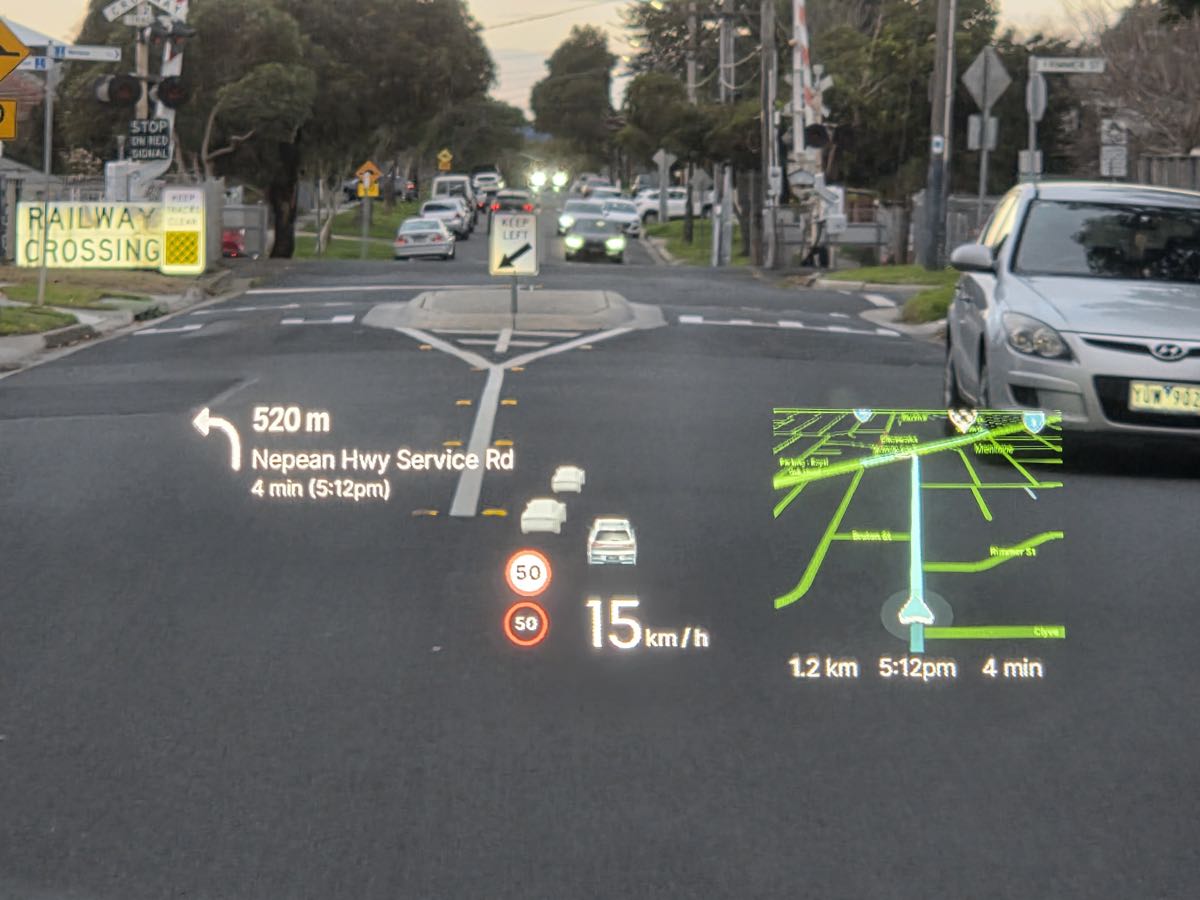
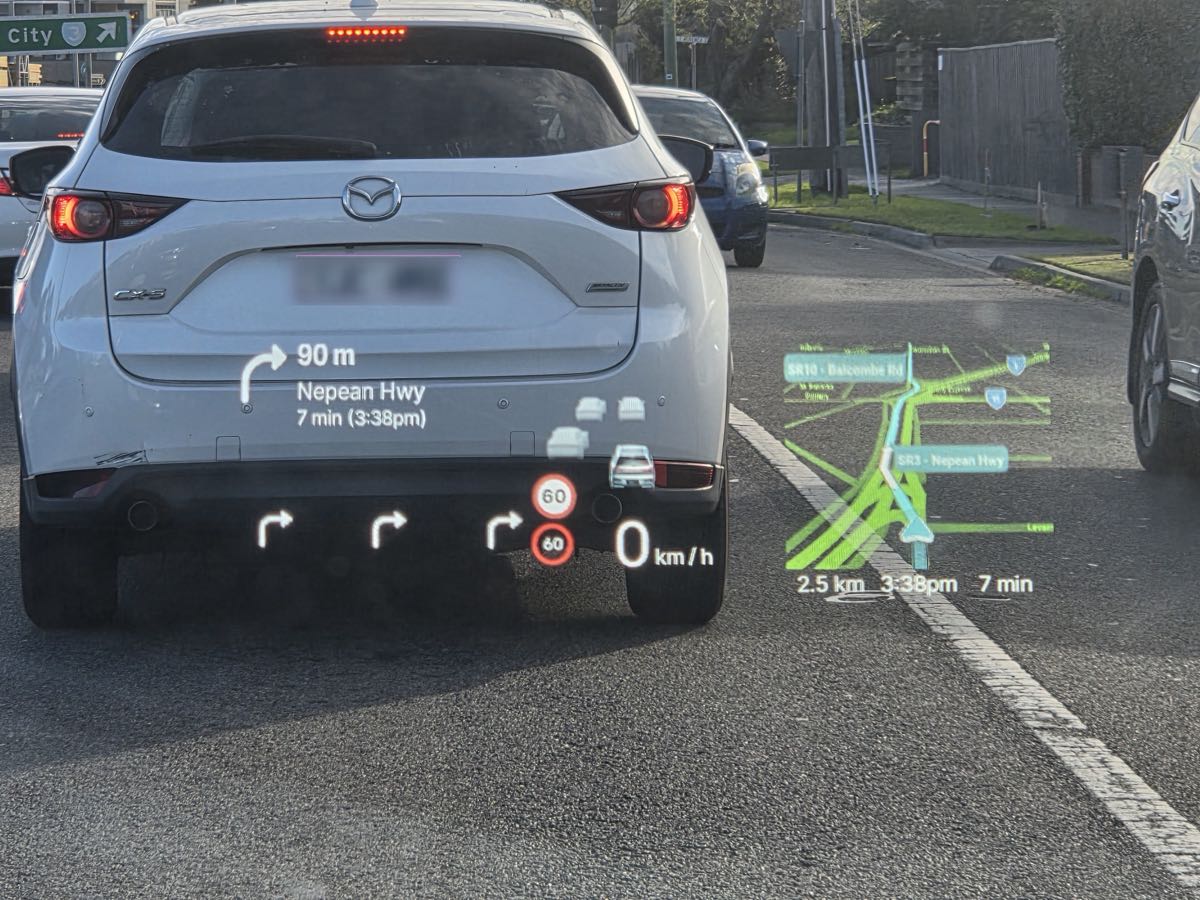
Waze, reimagined for your HUD. Get turn-by-turn directions and the full map projected right into your line of sight — navigation that keeps up with you, without ever looking away from the road.
Features
Fully adjustable HUD layout
Position, resize, and fine-tune the HUD elements to suit your display and driving view.
Waze HUD skin editor
Adjust how Waze looks on the HUD with custom colors, map labels, and ready-made presets.
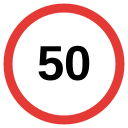
Speed limit from Waze
Display Waze's current road speed limit directly on the HUD alongside the speed limit the car detected (which it often gets wrong).
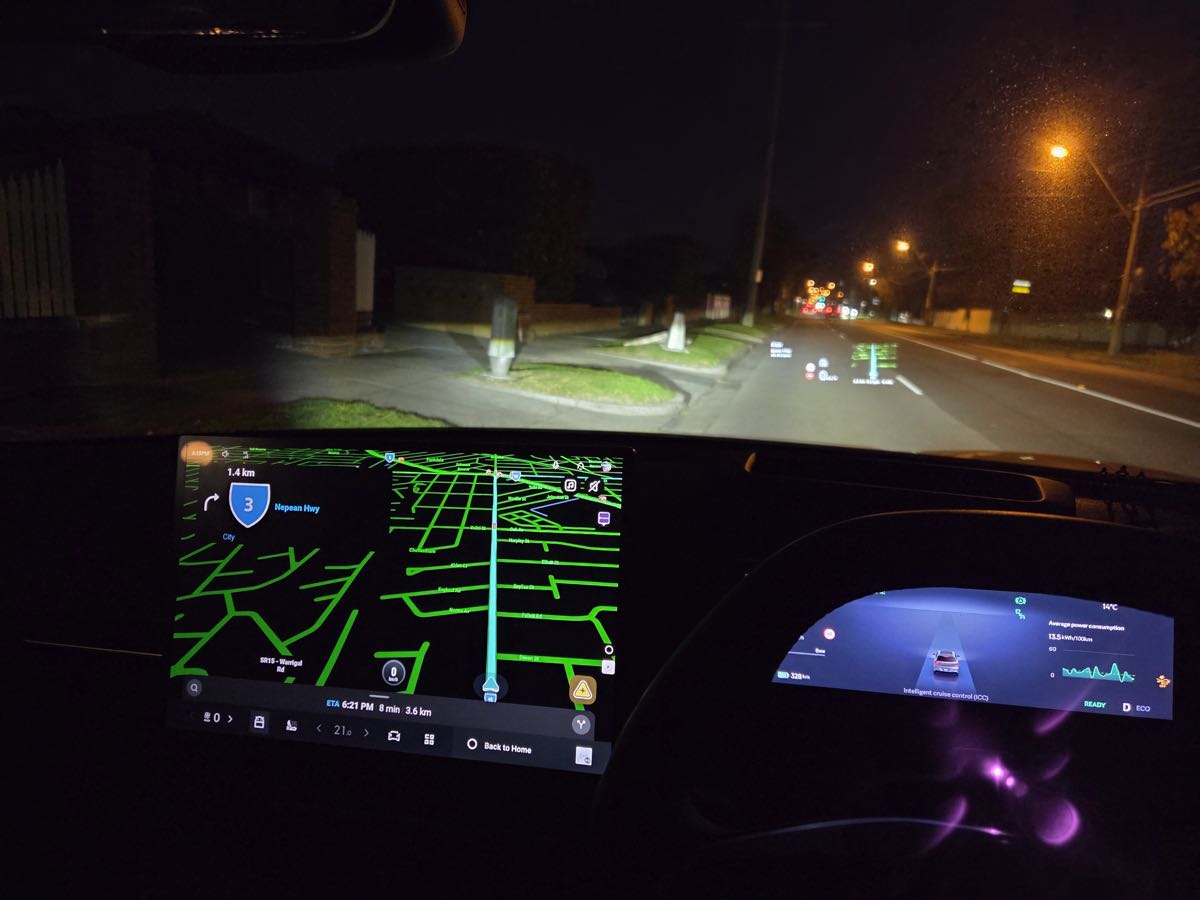
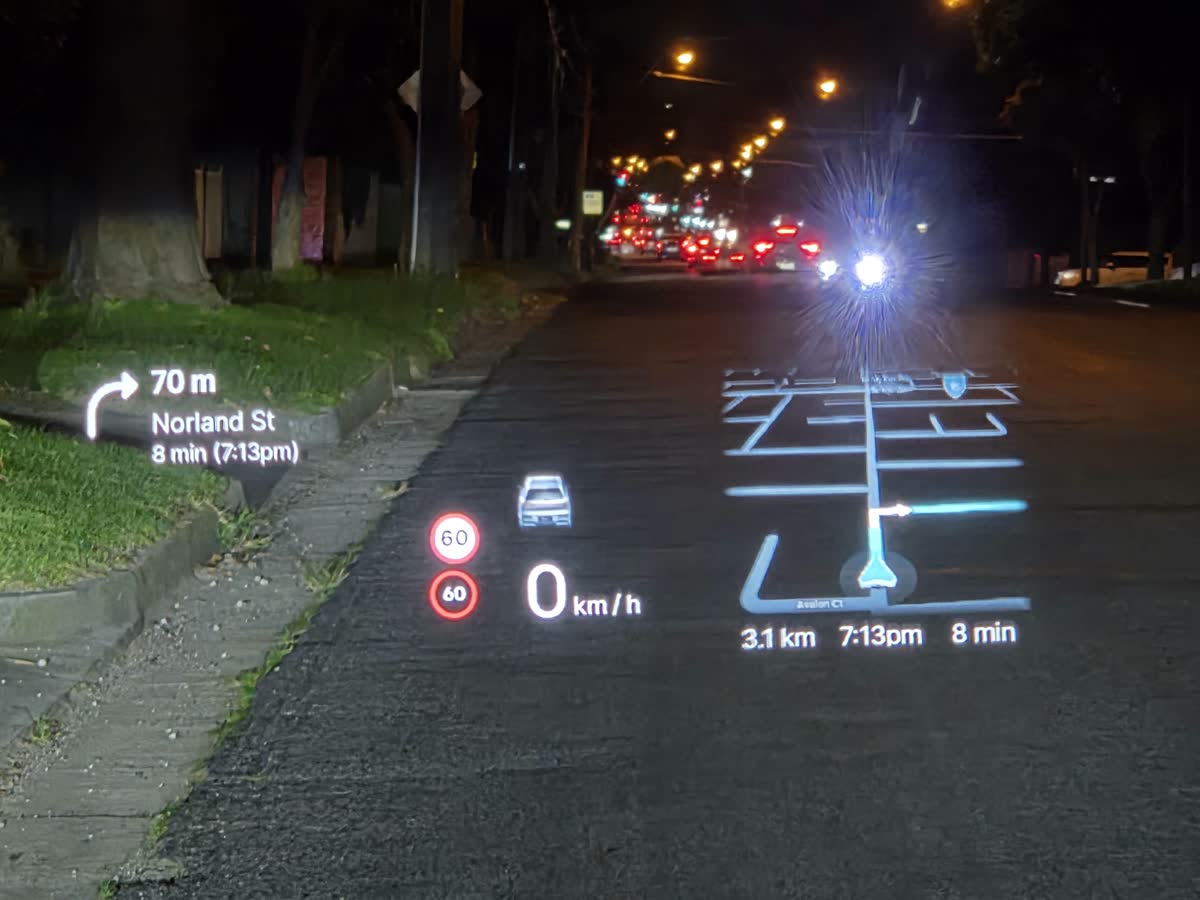
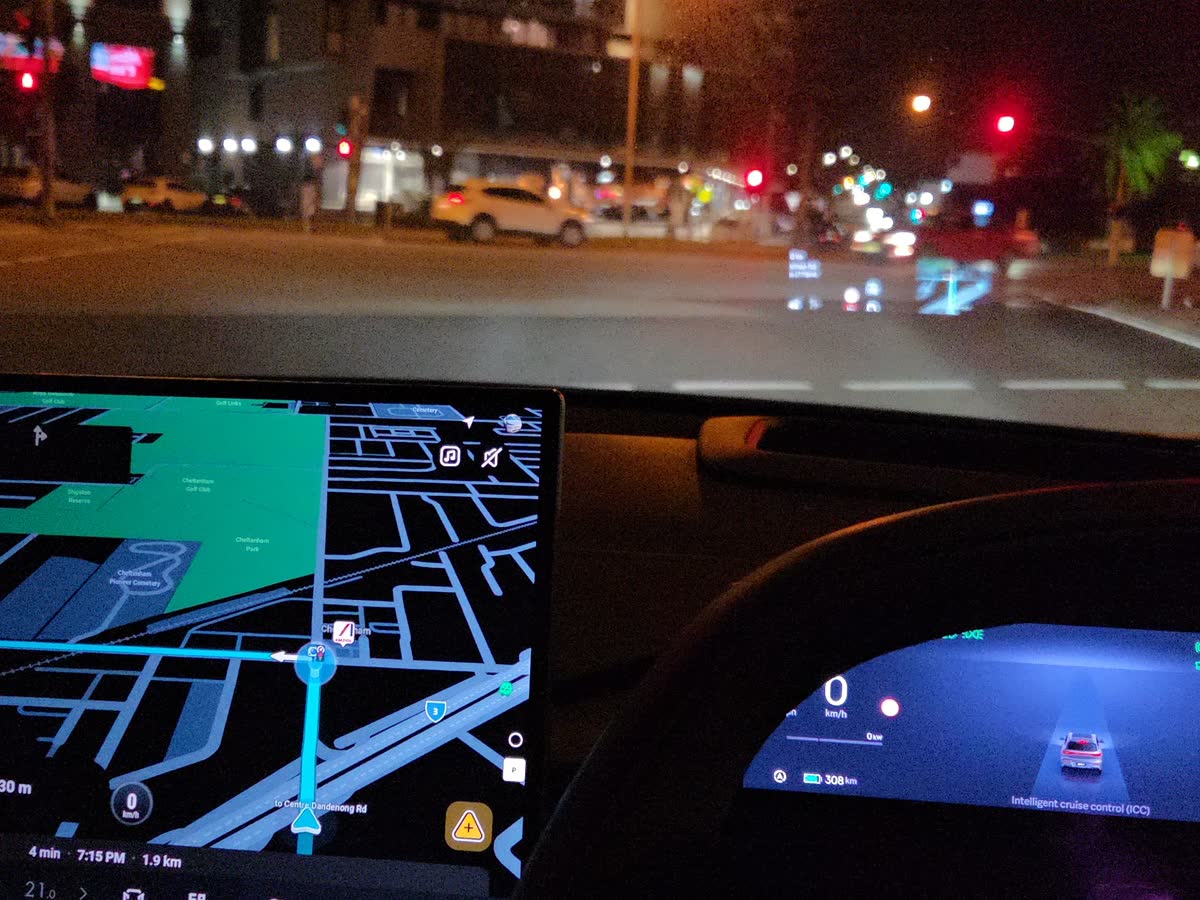
App walkthrough
See the HUDControl settings, Waze HUD night skin editor, presets, and the complete settings list.
Changelog
-
Version 2.6.0: September
2026
+ Live Waze road alerts (hazards, cameras, police and more) on HUD
+ 24 hour time format option for ETA display
Waze map resolution lowered to 1920x1200 to improve performance
Bundled Waze version moves to 5.23.0.2
User-selectable Waze DPI scaling ratio -
Version 2.4.2: August
2026
Fix map clipping at the bottom
Make under-map ETA block non-transparent to avoid cruise control icon showing through -
Version 2.4.1: August
2026
Fix settings not fully resetting to defaults
Add separate speed from Waze display block -
Version 2.4.0: August
2026
Add Waze skin editor to allow users to customize the Waze map appearance on the HUD.
Add 'muted' skin preset to hide rivers, lakes, stations from being displayed on HUD. -
Version 2.3.0: August
2026
Add double click to adjust display block positions.
Disable system cluster service when navigating to avoid conflicts which causes navigation directions to flicker on the driver's display.
Fix lane guidance showing wrong icons on the driver's display.
Change default map dimenions on HUD. -
Version 2.2.1: August
2026
Add keep-alive for system API pushes to avoid navigation directions disappearing for the driver's display on slow navigation updates. Apply road name filter for driver's display, too. Some API lifecycle improvements. Add lane guidance test buttons.
-
Version 2.2: July
2026
Send navigation data to system api to enable showing of directions on the driver's display.
-
Version 2.1: July
2026
Improved configurator experience with a larger UI, more reliable default settings, and a reset option that restores all preferences. Added map edge fading. Switched map colour scheme to blue instead of cyan. Added blinker duplication.
-
Version 2.0: July
2026
Fully new app. No framework patch needed. Hooks into Waze and projects cluster display map right on the HUD.
-
Version 1.20: Feb
2026
Remove "beta" from lane guidance. Bundle with Waze 5.17 with night mode support patch.
-
Version 1.19: Feb
2026
Lane guidance: enable by default
-
Version 1.18: Feb
2026
Lane guidance: for non-selected lanes, show the least complex icon. This is to avoid showing U-turns for non-selected lanes when Waze sends two options (i.e. right turn and U-turn)
-
Version 1.17: Feb
2026
Stability improvements. Rounding improvements (it should show distance below 20 meters now). Lane guidance improvements.
Version 1.8: Feb
2026
-
Version 1.1: Jan
2026
Public release.
Improved UI. Added auto-shutdown timer and lane guidance (beta).
Frequently Asked Questions (FAQ)
Q: How do I make it work?
A: After installing, start HUDControl app, activate it, and then start navigation with Waze and HUD would automatically light up.
Get HUD for Waze
Support the development of this add-on and enhance your driving experience.
Note: Installation of this add-on requires app sideloading to be enabled.